The LG CBIH3013BE induction cooktop offers fast and efficient cooking, but problems can occur over time. You may notice that the cooktop does not turn on, fails to detect cookware, produces an error code, or one cooking zone stops heating.
Before calling a technician, you can perform a few basic troubleshooting steps. However, electrical and internal component problems should be handled by a qualified professional. If you need LG Appliance Repair in Tucson, professional diagnosis can help identify the problem without unnecessary part replacement.
Check the Power Supply
If your LG CBIH3013BE is completely unresponsive, start by checking the electrical supply. Look at your home’s circuit breaker to see whether the cooktop’s breaker has tripped.
Reset the breaker once and check the cooktop again. If the breaker trips repeatedly, do not continue resetting it. A recurring trip may indicate an electrical fault that requires professional attention.
Make Sure the Control Lock Is Off
A locked control panel can make the cooktop appear as though it is not working. Check whether the control-lock indicator is active.
Follow the manufacturer’s instructions to unlock the controls. Also ensure the touch-control area is clean and dry because moisture or food residue can interfere with touch-sensitive controls.
Check Your Cookware
Induction cooktops require compatible cookware. If the cooktop turns on but does not heat, check whether the pan is designed for induction cooking.
Place an induction-compatible pan directly in the center of the selected cooking zone. You can also test another compatible pan to determine whether the cookware is causing the problem.
Clean and Dry the Control Panel
Food particles, grease, and moisture can affect the touch controls. Turn the cooktop off and clean the control surface according to the manufacturer’s care instructions.
Make sure the surface is completely dry before trying to operate the cooktop again.
Avoid placing utensils, towels, or other objects over the control panel while the cooktop is operating.
Reset the LG CBIH3013BE
A power reset may resolve a temporary electronic issue.
Turn off the cooktop’s power at the circuit breaker and leave it off for several minutes. Restore power and test the appliance.
If the same problem returns after the reset, the issue may involve an internal component rather than a temporary electronic glitch.
Troubleshoot an Induction Zone That Is Not Heating
If one cooking zone works while another does not, the problem may be isolated to that particular zone.
Possible causes include a sensor problem, wiring issue, heating component failure, or control-board malfunction.
Test the affected zone with compatible cookware. If it still does not heat while other zones work normally, professional inspection may be required.
Check for LG CBIH3013BE Error Codes
Error codes can help identify certain problems with the cooktop. If your appliance displays an error, record the exact code and consult the manufacturer’s troubleshooting information.
Do not ignore recurring error codes. If an error continues after the recommended reset or troubleshooting procedure, a technician can test the appliance to determine the underlying cause.
Why Does the Cooktop Keep Shutting Off?
Unexpected shutdowns can occur because of overheating, cookware detection problems, electrical issues, or internal component failures.
Allow the cooktop to cool and make sure cookware is positioned correctly. If the appliance continues shutting down during normal use, stop troubleshooting beyond basic checks and arrange professional service.
Inspect for Signs of Electrical Problems
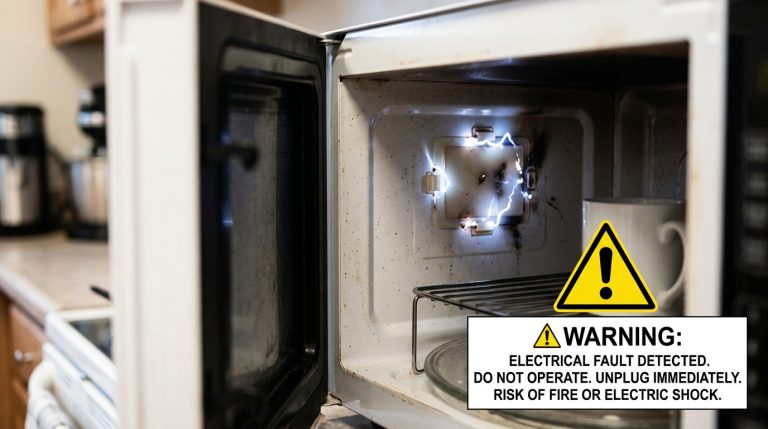
Electrical symptoms require extra caution. If you notice repeated breaker trips, burning smells, unusual sounds, visible damage, or other signs of electrical malfunction, stop using the appliance.
Do not attempt to access internal wiring or electronic components yourself. A qualified technician can safely diagnose the electrical system.
For homeowners who need LG Appliance Repair in Tucson, professional service is especially useful when basic troubleshooting does not resolve the issue.
When Should You Call an LG Appliance Repair Technician?
Some problems require more than basic troubleshooting. Contact a qualified appliance repair professional if your LG CBIH3013BE:
- Has no power after checking the breaker
- Does not detect multiple compatible pans
- Has a cooking zone that will not heat
- Displays recurring error codes
- Repeatedly shuts down
- Trips the circuit breaker
- Has unresponsive controls
- Shows signs of electrical damage
Professional diagnosis can help determine whether the problem involves the control board, sensors, wiring, heating components, or another appliance part.
How Professional LG Appliance Repair Can Help
A technician will first identify the symptoms and inspect the appliance’s power supply. Depending on the issue, they may test the controls, sensors, wiring, heating components, and electronic control systems.
Instead of replacing parts based only on symptoms, proper troubleshooting helps identify the actual cause of the failure.
If you are dealing with persistent CBIH3013BE problems, LG Appliance Repair in Tucson can provide the professional diagnosis needed to determine the appropriate repair.
Preventing Future Induction Cooktop Problems
Regular care can help keep your LG induction cooktop operating properly. Keep the glass surface and controls clean and dry, use compatible cookware, avoid dragging heavy pans across the surface, and follow the manufacturer’s cleaning and operating recommendations.
Address unusual noises, error codes, heating problems, or repeated shutdowns early rather than continuing to operate an appliance with a potential internal fault.
Final Thoughts
Many LG CBIH3013BE problems can be checked with simple steps such as inspecting the breaker, unlocking the controls, checking cookware compatibility, cleaning the control panel, and performing a basic reset.
If the problem continues or involves electrical components, sensors, heating zones, or the control board, professional service is the safer option. For local homeowners, LG Appliance Repair in Tucson can help diagnose and repair persistent induction cooktop problems efficiently.
Frequently Asked Questions
1. Why is my LG CBIH3013BE not turning on?
Check the circuit breaker, power supply, and control lock before calling for repair.
2. Why is my LG induction cooktop not heating?
Check that you are using induction-compatible cookware and placing it correctly on the cooking zone.
3. How do I reset my CBIH3013BE cooktop?
Turn off the circuit breaker for several minutes, then restore power and test the cooktop.
4. Why is one cooking zone not working?
A faulty sensor, heating component, wiring, or control board may be causing the problem.
5. What causes LG induction cooktop error codes?
Error codes can result from overheating, cookware detection issues, electrical faults, or component problems.
6. Why does my LG cooktop keep shutting off?
Overheating, improper cookware, ventilation issues, or an electrical fault may cause shutdowns.
7. Can I fix an LG induction cooktop myself?
Basic troubleshooting is possible, but internal electrical repairs should be handled by a professional.
8. How do I know if cookware is induction-compatible?
Place a magnet against the bottom of the pan. If it sticks firmly, it is generally induction-compatible.
9. When should I call for LG Appliance Repair in Tucson?
Call a technician if the cooktop remains faulty after basic troubleshooting or shows electrical problems.
10. How can I prevent CBIH3013BE problems?
Keep the surface clean and dry, use suitable cookware, and follow LG’s care instructions.