If your dishwasher is not responding, a simple reboot may be all it needs to start working again. Dishwashers use electronic control systems that can sometimes become unresponsive after a power interruption, interrupted cycle, or temporary control error.
Rebooting the dishwasher allows the electronic controls to restart. It can clear certain temporary errors and restore normal operation without requiring a repair.
However, a reboot will not fix every dishwasher problem. If the appliance continues to malfunction after you restart it, the issue may involve the control board, door latch, wiring, pump, or another component. In that situation, contacting Dishwasher Repair Experts Near Me can help identify the actual cause.
What Does Rebooting a Dishwasher Mean?
Rebooting a dishwasher means temporarily stopping its electrical power and allowing its electronic control system to restart.
Think of it like restarting a computer or smartphone. A temporary software or control issue may disappear after the system starts again.
A dishwasher reboot can sometimes help with:
- An unresponsive control panel
- A dishwasher that will not start
- A cycle that appears stuck
- Certain temporary error codes
- Controls that stop responding
- A dishwasher that stops after a power interruption
The exact reboot procedure depends on the dishwasher’s manufacturer and model.
How Do I Reboot My Dishwasher?
There are several ways to reboot a dishwasher. The safest method is to follow the instructions provided in the owner’s manual.
If your dishwasher has a Cancel or Reset button, you may be able to press and hold it for several seconds. Some models use a combination of buttons to cancel the current cycle and restart the controls.
If the control panel does not respond, a power cycle may be necessary.
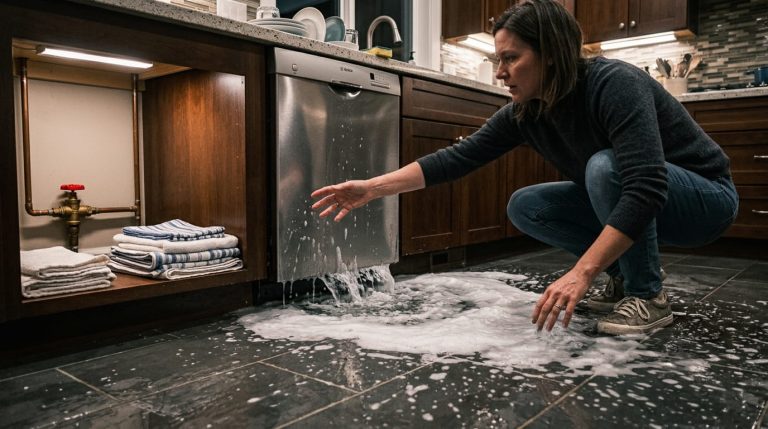
Before doing anything, make sure there is no water leaking from the dishwasher and avoid touching exposed electrical components.
Method 1: Use the Dishwasher Control Panel
The easiest way to reboot some dishwashers is through the control panel.
Look for buttons labeled:
- Cancel
- Reset
- Start/Cancel
- Power
- Stop
Press the appropriate button according to your dishwasher’s instructions. Some models require you to hold the button for a few seconds.
Once the cycle has been canceled, allow the dishwasher to finish draining if necessary.
Then select a new cycle and press Start.
If the dishwasher starts normally, the issue may have been a temporary control error.
Method 2: Perform a Power Cycle
If the control panel is completely unresponsive, you may need to perform a power cycle.
If the dishwasher has an accessible plug, disconnect it from the electrical outlet. Wait several minutes before reconnecting it.
After restoring power, wait briefly for the control panel to initialize. Then select a wash cycle and try starting the dishwasher.
For hardwired dishwashers, the circuit breaker may provide the electrical disconnect.
Only use the circuit breaker if you can safely identify the correct circuit and follow the manufacturer’s recommendations.
If the breaker trips again after you restore power, do not repeatedly reset it. A recurring trip can indicate an electrical problem.
Check the Dishwasher Door Before Restarting
A dishwasher may appear to be malfunctioning when the door is simply not closing correctly.
Most dishwashers have a safety mechanism that prevents the appliance from starting unless the door latch is properly engaged.
Before restarting the dishwasher, check for anything blocking the door.
Look for:
- Large dishes sticking out
- Food debris around the latch
- Damaged plastic
- A loose door
- A worn door gasket
- A damaged latch
Close the door firmly and try starting the dishwasher again.
If the door will not latch correctly, the problem may require a replacement latch or switch.
What If the Dishwasher Still Does Not Respond?
If rebooting does not restore the dishwasher, do not keep restarting it repeatedly.
A persistent problem may indicate a hardware failure rather than a temporary electronic issue.
Possible causes include a failed control board, defective door switch, damaged wiring, blown fuse, faulty power connection, or another internal component.
At this point, professional diagnosis is usually the best option.
A qualified appliance professional can test the relevant components and determine what is preventing the dishwasher from operating.
Dishwasher Reboots but Stops Again
Sometimes a dishwasher works immediately after a reboot but stops again later.
This is an important sign.
A reboot may temporarily clear the symptoms without fixing the underlying problem. For example, a failing control board may work intermittently before completely failing.
Similarly, a door switch, sensor, or electrical connection may work sometimes and fail at other times.
If the same problem keeps returning, record when it happens and any error code displayed by the dishwasher.
This information can help a technician diagnose the problem more efficiently.
What Do Dishwasher Error Codes Mean?
Modern dishwashers often use error codes to identify problems.
An error code may indicate an issue involving drainage, water supply, temperature, sensors, door operation, or electronics.
The meaning of each code depends on the manufacturer and model.
If your dishwasher displays an error code, take a photo or write down the code before rebooting the appliance.
Then check the owner’s manual for the recommended troubleshooting procedure.
If the same error appears after the reboot, professional inspection may be necessary.
Can a Reboot Fix a Dishwasher Control Board?
A reboot can sometimes clear a temporary control-board error. However, it cannot repair a physically damaged control board.
If the control board has burned components, damaged circuits, corrosion, or another hardware failure, restarting the dishwasher will not permanently solve the problem.
A technician can test the control system and determine whether the board is actually defective.
This is important because control boards can be expensive. Replacing one without confirming the diagnosis can result in unnecessary costs.
Why Does My Dishwasher Keep Freezing?
A dishwasher control panel may become frozen because of a temporary electronic error, power fluctuation, moisture, faulty buttons, or a failing control component.
If the problem happens only once, a reboot may resolve it.
However, repeated freezing should not be ignored.
Keep track of how frequently it happens. If the control panel becomes unresponsive several times, contact a professional for a complete inspection.
Searching for Dishwasher Repair Experts Near Me can help you find experienced technicians who can diagnose recurring control problems.
When Should You Avoid DIY Dishwasher Repairs?
Basic troubleshooting is usually reasonable when it involves simple tasks such as checking the door, reviewing the owner’s manual, or performing an approved reset.
However, internal electrical repairs are different.
Avoid opening the dishwasher or working on internal wiring if you do not have the necessary electrical knowledge and safety equipment.
Professional assistance is recommended if you notice:
- Burning odors
- Smoke
- Sparks
- Exposed wires
- Repeated breaker trips
- Water near electrical components
- Severe leaks
- A completely dead control panel
These symptoms may indicate a safety issue that requires professional attention.
How Regular Dishwasher Maintenance Helps
Regular maintenance can help keep your dishwasher operating properly.
Clean the dishwasher filter according to the manufacturer’s instructions. Remove food particles and buildup from the interior.
Check the spray arms and make sure the holes are not blocked.
Inspect the door gasket for cracks or damage. A damaged gasket can allow water to leak from the appliance.
It is also helpful to avoid overloading the dishwasher. Proper loading allows water and detergent to circulate effectively.
Routine dishwasher maintenance Tucson services can also help identify worn components before they cause unexpected failures.
Does a Reboot Replace Professional Repair?
No. A reboot is a troubleshooting step, not a complete repair.
If the dishwasher has a damaged component, rebooting may only provide temporary relief or no improvement at all.
For example, a failed pump, broken latch, damaged wiring, or defective control board will require appropriate repair or replacement.
A professional diagnosis can prevent you from spending money on parts that are not actually defective.
How to Choose Dishwasher Repair Experts
When searching for Dishwasher Repair Experts Near Me, look for a company with experience repairing different dishwasher brands and models.
A reliable repair professional should be able to diagnose the problem before recommending replacement parts.
It is also useful to ask about:
- Diagnostic procedures
- Repair experience
- Warranty coverage
- Service areas
- Estimated repair costs
- Replacement-part availability
Choose a technician who explains the problem clearly and provides practical repair options.
When Is Dishwasher Replacement Better?
Not every dishwasher should be repaired.
If the appliance is relatively new and has a minor problem, repair may be the most practical choice.
However, an older dishwasher with frequent breakdowns may become expensive to maintain. If multiple major components are failing, replacement could make more financial sense.
A professional technician can evaluate the dishwasher’s condition and help you compare repair and replacement options.
Final Thoughts
Rebooting a dishwasher is often a simple first step when the appliance becomes unresponsive. Depending on the model, you may be able to reset it through the control panel or perform a power cycle.
A reboot can clear temporary electronic errors, but it cannot repair damaged components. If your dishwasher continues to freeze, displays recurring error codes, trips the breaker, or refuses to start, there may be an underlying problem.
Start with safe troubleshooting and follow your manufacturer’s instructions. If the issue continues, contacting Dishwasher Repair Experts Near Me can help you identify the cause and determine the right repair.
Regular maintenance can also help reduce avoidable problems and keep your dishwasher working efficiently for longer.
Frequently Asked Questions
1. How do I reboot my dishwasher?
You can often reboot a dishwasher by using its Cancel or Reset function. If the controls are unresponsive, a manufacturer-approved power cycle may also work.
2. How long should I unplug my dishwasher?
If your manufacturer’s instructions allow a power reset, leave the dishwasher disconnected for several minutes before reconnecting it.
3. Will rebooting fix a dishwasher that will not start?
It may fix a temporary electronic problem. However, a faulty latch, control board, wiring, or other failed component will require repair.
4. Why is my dishwasher control panel not responding?
Possible causes include a temporary electronic error, control lock, power problem, faulty control panel, or defective control board.
5. Can I reset my dishwasher with the circuit breaker?
Some dishwashers can be power-cycled using the circuit breaker. Do not repeatedly reset a breaker that continues to trip.
6. Why does my dishwasher work after a reboot but stop again?
This can indicate an underlying electrical, electronic, sensor, or mechanical problem. A reboot may only temporarily clear the symptoms.
7. Should I reboot my dishwasher every time it stops?
No. Repeated rebooting is not a substitute for repair. If the problem keeps returning, have the dishwasher professionally diagnosed.
8. Can a door latch prevent my dishwasher from starting?
Yes. Most dishwashers require the door latch and switch to engage correctly before the appliance can begin a cycle.
9. When should I call Dishwasher Repair Experts Near Me?
Call a professional when the dishwasher remains unresponsive after basic troubleshooting, repeatedly shows error codes, leaks, or has electrical problems.
10. Can regular maintenance prevent dishwasher problems?
Regular maintenance can reduce problems caused by clogged filters, blocked spray arms, worn seals, and buildup. It cannot prevent every electronic or mechanical failure.